Your screen recording,
launch-ready in two minutes.
Drop in a recording from your device or emulator. TapCraft wraps it in a real handset, animates a ripple on every touch, pushes the camera in on what you tapped, and exports 9:16, 16:9 or 4:5 up to 4K — ready for app demos, tutorials and social.
No card needed. Free exports are watermarked.
App demosThe clip for your landing page, Product Hunt launch or store listing.
TutorialsShow how a feature works, with a ripple on every step you take.
Social video9:16 for TikTok, Reels and Shorts, 16:9 for YouTube and X, 4:5 for Instagram. Up to 4K.
New · Store assets
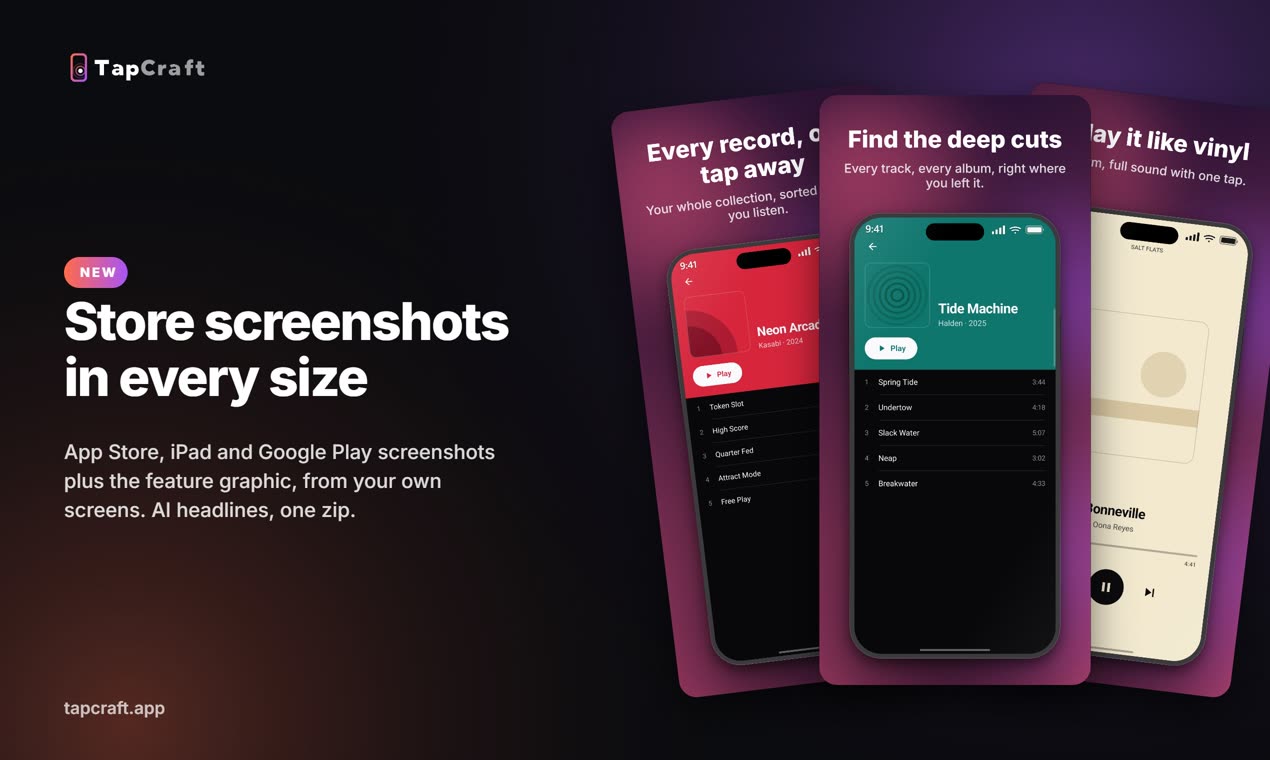
Store screenshots in every size, from the same app
App Store and Google Play screenshots in every size, plus the Play feature graphic, in one zip. AI drafts a headline for each screen, in your language.
- iPhone 6.9″ and 6.5″, iPad 13″, Google Play phone and the 1024×500 feature graphic
- An iPhone frame for the App Store and an Android one for Google Play
- A clean status bar on every screen, and frames grabbed straight from your recording
Three free sets, unlimited on Pro.
Everything in the studio
Taps & camera
The handset
Backdrop & sound
Workflow
One click, styled1 17
Create your own
Upload a recording and see the export before you pay for anything.
Start free